
How to Pre-Qualify Open House Visitors: A Step-by-Step Guide
By Red Sherwood, QLFI ·
Quick answer
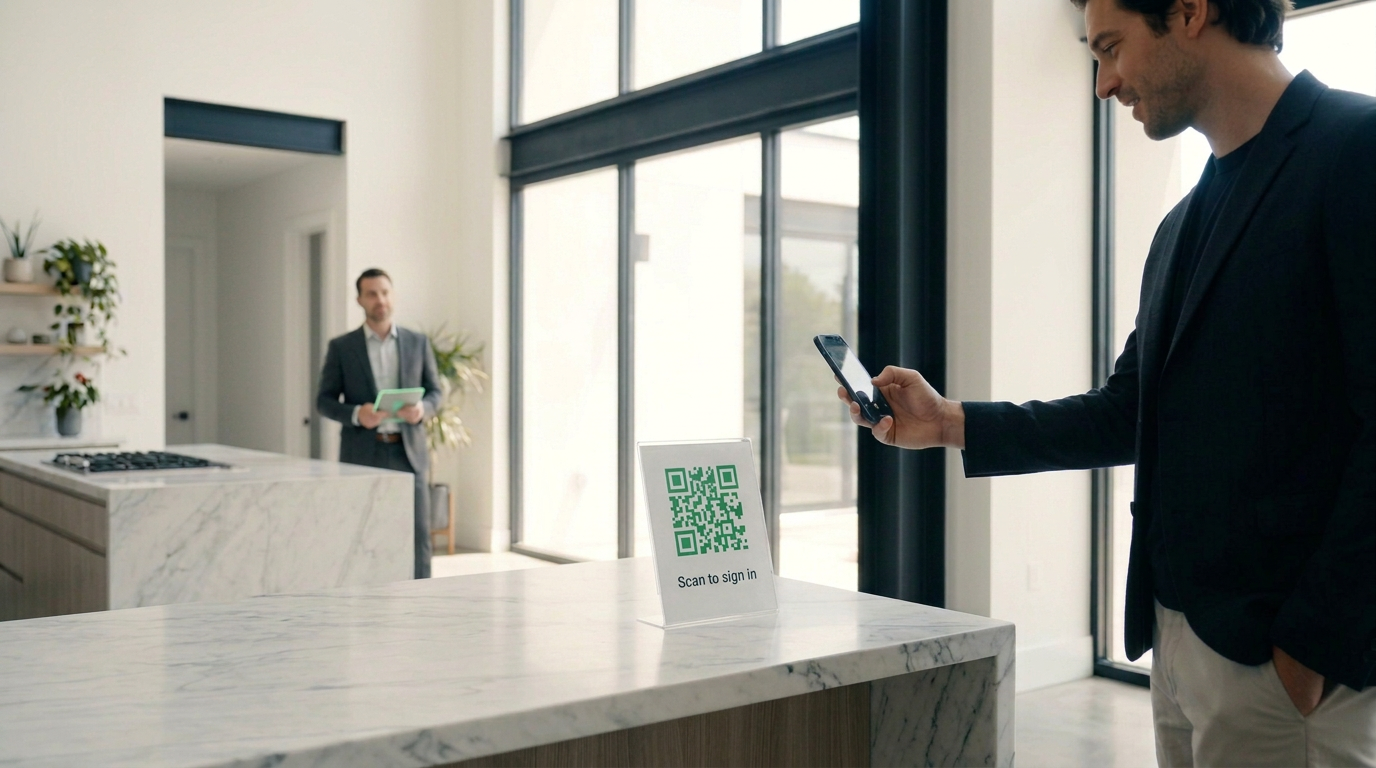
To pre-qualify open house visitors, offer an optional QR-code or digital sign-in form that collects name, phone, email, and buyer authorization before a soft credit inquiry. Review preliminary buying power and loan-program matches, then agree on the next step. In QLFI, the Open House App requires a subscription plan.
Key takeaways
- Pre-qualification at an open house should be optional and offered, never a condition of touring the home.
- Sign-in and credit authorization are two different steps; explain the inquiry before the visitor agrees to it.
- Results are preliminary estimates and loan-program matches, not lender approvals or a verified maximum purchase price.
- A missing match or a declined authorization tells you nothing about a visitor's credit or seriousness.
- QLFI's Open House App, QR codes and digital sign-in pages are included with subscription plans, not Pay As You Go.
What does open house pre-qualification tell you, and what doesn't it?
Four different things often get called pre-qualification. Keeping them separate prevents most of the mistakes agents make with the results.
Contact capture is the sign-in itself: a name, phone number and email so you can follow up. It says nothing about financing.
A preliminary credit-based estimate is what a soft inquiry adds. With the visitor's authorization, QLFI returns a credit report, an estimated buying power and loan-program matches for programs such as Conventional, FHA, VA, USDA, Jumbo and Non-QM. These are early indicators to guide a conversation.
A lender assessment is a separate step. A lender verifies income, assets and documents and decides what it will offer. Pre-qualification is not pre-approval, and QLFI is not a lender.
Final financing happens only when a lender approves and funds a loan. Nothing captured at an open house establishes that.
Two limits matter in practice. A missing loan-program match is not a credit denial, and an estimated buying power is not a verified maximum purchase price. Treat both as a starting point for a conversation with the buyer and, if they want one, a lender.
| Step | What you learn | What it does not establish |
|---|---|---|
| Contact sign-in | Who visited and how to reach them | Any financial information |
| Authorized soft inquiry | Preliminary credit picture, estimated buying power, program matches | Lender approval or a verified purchase limit |
| Lender assessment | What a specific lender may offer after verification | That the loan will close |
| Final approval and funding | Financing is in place | — |
How do you set up the open house before visitors arrive?
Most problems at the event come from setup skipped beforehand. Do this the day before.
Start with an eligible plan. In QLFI, the Open House App is part of the Single Agent and team subscriptions; Pay As You Go does not include it. Then create the listing in the Open House App and prepare the QR flyer or digital sign-in page for that listing.
Read the authorization language visitors will see before any inquiry runs, and make sure you can explain it in plain words. Then walk through the visitor journey yourself using a method QLFI supports, so you know exactly what a visitor will see on their phone or on the sign-in page displayed on your device.
- Eligible subscription plan in place
- Correct listing selected in the Open House App
- QR code tested and pointing to the right sign-in page
- Approved authorization language displayed before the inquiry
- Sign-in device positioned so other visitors can't see the screen
- Previous visitor's details cleared before the next person signs in
- Results visible only to authorized staff
- A fallback conversation ready for visitors who decline
- A place to record each visitor's follow-up preferences
These are recommended operating practices for your event, not automatic QLFI features. Check each one yourself.
How should you review results and choose a next step?
Look at results privately and talk with the visitor one to one. Never discuss one visitor's results where others can hear or see them.
Use the result to decide what conversation to have next, not to label the visitor. Do not share credit details with other visitors, and do not assume you have permission to pass a visitor's details to a lender or any other third party; ask first.
The table covers the situations you will meet most often, including the ones where there is no result to review.
| Situation | Recommended response | Do not infer |
|---|---|---|
| Preliminary match fits the buyer's goals | Discuss next steps and offer lender verification | Final financing is secured |
| Estimate differs from the buyer's intended budget | Explain the limitations and offer a lender discussion | The buyer can never purchase |
| Identity cannot be matched / no result | Check the details with the visitor and use a lender-led alternative if they want one | No match means poor credit or rejection |
| Visitor declines credit authorization | Do not run the inquiry; continue an appropriate conversation | Declining consent proves a lack of seriousness |
| Buyer already works with a lender | Respect that relationship and ask what help is useful | Another credit pull is automatically necessary |
| Cash buyer | Discuss the appropriate proof-of-funds process through the relevant professionals | Mortgage matching establishes available cash |
What does it cost to pre-qualify open house visitors with QLFI?
Cost depends on your plan and the number of authorized pre-qualification runs, not the number of people who walk through the door.
Subscriptions charge a monthly fee plus a run fee for each authorized pre-qualification. Pay As You Go has no monthly fee but does not include the Open House App; it appears in the table only to show that difference. See QLFI pricing for current plans (checked October 13, 2026).
Hypothetical cost example: A solo agent uses the Single Agent plan and completes 40 authorized pre-qualification runs during a month. The monthly cost is $97 + (40 × $5) = $297, before any applicable taxes or separately billed services. The Open House App is included in that subscription. This example illustrates cost only; it does not predict offers, closings, or time savings.
Hypothetical team example: A team on Team Starter, which covers up to five seats, completes 25 authorized runs in a month. The monthly total is $297 + (25 × $5) = $422. For a team already paying the subscription, the $125 in run charges is the incremental expense of those runs, on top of the monthly fee.
| Plan | Monthly fee | Run fee | Example volume | Monthly total | Open House App |
|---|---|---|---|---|---|
| PAYG | $0 | $10 | 40 | $400 | Not included |
| Single Agent | $97 | $5 | 40 | $297 | Included |
| Team Starter, up to 5 seats | $297 | $5 | 25 | $422 | Included |
How do you follow up without overstating a buyer's readiness?
This is a suggested editorial workflow, not a built-in QLFI sequence.
Follow up through a channel the visitor agreed to, and describe results as preliminary in every message. A useful order is to talk about the buyer's goals first, offer a lender conversation if they want one, and agree on one concrete next action.
If you use a CRM, confirm what the specific integration actually sends, which fields arrive, and in which direction. QLFI lists integrations including Follow Up Boss and Lofty; GoHighLevel is the integration documented with two-way sync. Check your own setup rather than assuming every CRM behaves the same way.
- Discuss the buyer's goals and timeline
- Offer a lender conversation if the buyer wants one
- Agree on one next action and a date
- Follow up through the channel the buyer agreed to
Should you add pre-qualification to your open houses?
Offer QLFI pre-qualification if
- • You want an early, consented read on buying power before the next conversation
- • You are on, or willing to use, a subscription plan that includes the Open House App
- • You can review results privately and follow up promptly
Agents and teams who host regular open houses and want structured follow-up.
Watch the DemoKeep an established lender-led process if
- • Your lender partners already give buyers timely assessments
- • That process fits your team's workflow
- • Your visitors mostly arrive already working with a lender
Teams with a lender-led intake that already works well for buyers.
See PricingUse preliminary qualification to guide the next conversation; let the lender verify financing.
Frequently asked questions
Offer an optional QR or digital sign-in, explain the soft credit inquiry, and let the visitor review and give their authorization before it runs. Then review the preliminary estimate privately and agree on a next step. In QLFI, the Open House App is available with a subscription plan.
No. A soft inquiry does not affect a credit score, as the CFPB explains. It still requires the buyer's authorization under QLFI's process, so never run one without it.
Name, phone and email, plus the buyer's authorization before the inquiry. No Social Security number, date of birth or bank statements are needed to begin. A lender may ask for documents later as part of its own assessment.
The Open House App, with QR codes and digital sign-in pages, is included in subscription plans. Single Agent starts at $97 per month plus $5 per run, and team subscriptions include it too. Pay As You Go does not include the Open House App. See QLFI pricing.
No. QLFI is not a lender. Estimates and loan-program matches are preliminary and remain subject to lender verification and approval.
Do not run the inquiry. Continue the conversation as you would with any visitor and follow your brokerage's reviewed policies. Declining tells you nothing about the visitor's finances or interest.
A missing match is not a credit decision. Check the details the visitor entered with them, and if they want, discuss another route to a lender assessment.
QLFI lists integrations including Follow Up Boss and Lofty, and GoHighLevel is documented with two-way sync. Confirm what your chosen integration sends, which fields, and in which direction before relying on it.